Christie QuickConnect2.2.1
Publisher Description
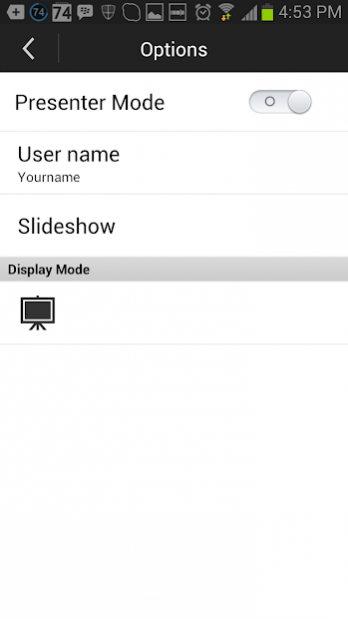
The Christie® QuickConnect App enables end users and installers to project photos, documents and websites to compatible Christie projector over Wi-Fi® from their Android mobile digital devices. This app is specifically designed to control Christie LW401, LWU421, LX501, LW551i, LWU501i, LX601i, DXG1051-Q, DWX951-Q and DWU951-Q projectors.
The app is supported on Android OS version 2.3 and 4.0-4.3 enabled mobile digital devices.
The Christie QuickConnect app and the projector must be on the same local Wi-Fi network.
Key features
• Projector discovery
• Content delivery let users display content from their Android devices to projector.
• Documents
• Images
• Webpages
• Projector control
• Control projector: Standby/ On, Audio Mute, Blank and Freeze
• Input source selection: choose from two computer ports, two USB ports, HDMI, Video, S-Video and LAN
• Advanced setting
• Display mode - full Image mode or multi - devices mode (up to 4 devices at the same time).
• Presenter mode enables the user to invite others to present or prevent another device from connecting to the projector.
Keywords: wireless presentation, wireless content delivery, projection control, projector control, wireless projector control, remote projector control
About Christie QuickConnect
The company that develops Christie QuickConnect is Christie Digital Systems Inc.. The latest version released by its developer is 2.2.1. This app was rated by 1 users of our site and has an average rating of 4.0.
To install Christie QuickConnect on your Android device, just click the green Continue To App button above to start the installation process. The app is listed on our website since 2019-10-04 and was downloaded 136 times. We have already checked if the download link is safe, however for your own protection we recommend that you scan the downloaded app with your antivirus. Your antivirus may detect the Christie QuickConnect as malware as malware if the download link to com.christiedigital.quickconnect is broken.
How to install Christie QuickConnect on your Android device:
- Click on the Continue To App button on our website. This will redirect you to Google Play.
- Once the Christie QuickConnect is shown in the Google Play listing of your Android device, you can start its download and installation. Tap on the Install button located below the search bar and to the right of the app icon.
- A pop-up window with the permissions required by Christie QuickConnect will be shown. Click on Accept to continue the process.
- Christie QuickConnect will be downloaded onto your device, displaying a progress. Once the download completes, the installation will start and you'll get a notification after the installation is finished.
Program Details
System requirements
Download information
Pricing
Version History
version 2.2.1
posted on 2019-10-04
version 2.0.1
posted on 2017-09-14
- Supporting D Series HD model
- Fixing the bug of black picture display with HD models
- Version updated to 2.0.1
version 2.0.0
posted on 2016-11-25
Bug fixes.
version 1.0.1
posted on 2014-07-09
Support has been added for the new projector model DHD951.
